As a merchant, e.g., Konga, Gtech Stores, visit app.askvida.ai/signup, click on the "Get started" button
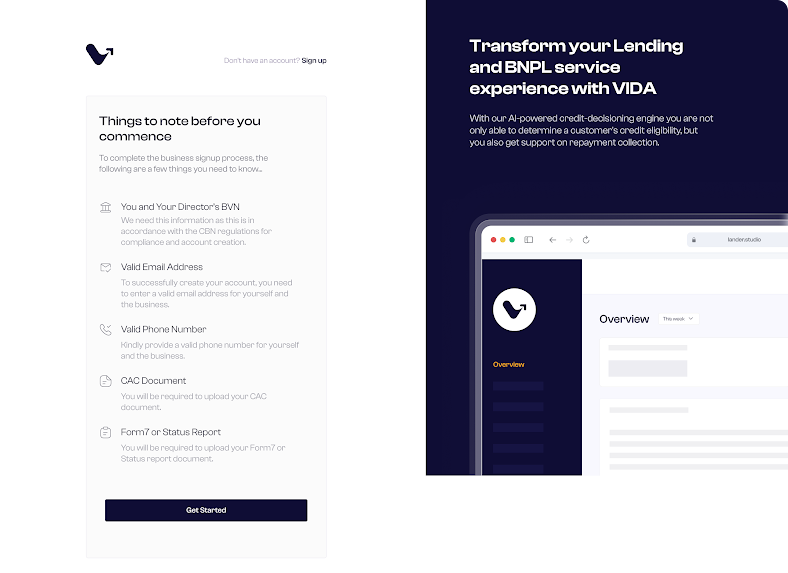
The contact person for the business fills in their personal information in the form.
After completing the personal info and clicking on continue,
The merchant is prompted to provide their business information, which involves basic information about the business, such as their
Name,
Email
Operating address
Phone number,
CAC,
Form7,
BVN
Government-issued ID of one of the directors, which is just a KYB requirement for us to know more about the business.

Upon completion and submission of business information, the merchant is directed to a screen to set up a profile.
The merchant
provides website URL,
States and countries of operation
Support contacts
Settlement account details,
Product categories,
TIN,
RC number and
Business logo.

The merchant also indicates who finances their products, which can be either the merchant or financial institutions on Vida. Financial institutions on Vida include Veend.
The merchant clicks on the "Complete profile" button, after which the merchant is redirected to the dashboard.
To get started, visit app.askvida.ai
Was this article helpful?
That’s Great!
Thank you for your feedback
Sorry! We couldn't be helpful
Thank you for your feedback
Feedback sent
We appreciate your effort and will try to fix the article